Log In to Your Account
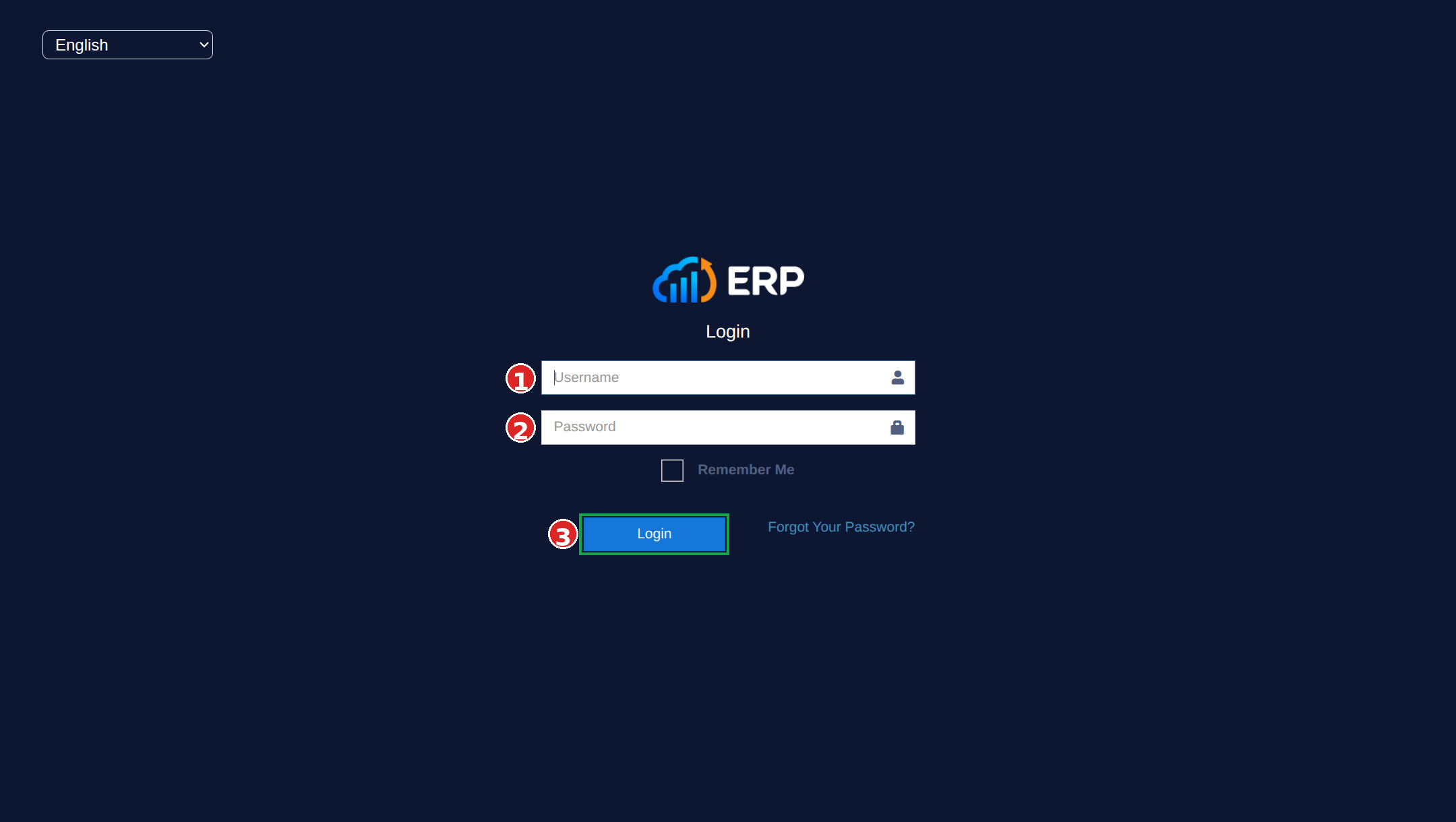
Go to rnaccounts.com/login and enter your username and password.
- 1Enter your Username
- 2Enter your Password
- 3Click the Login button
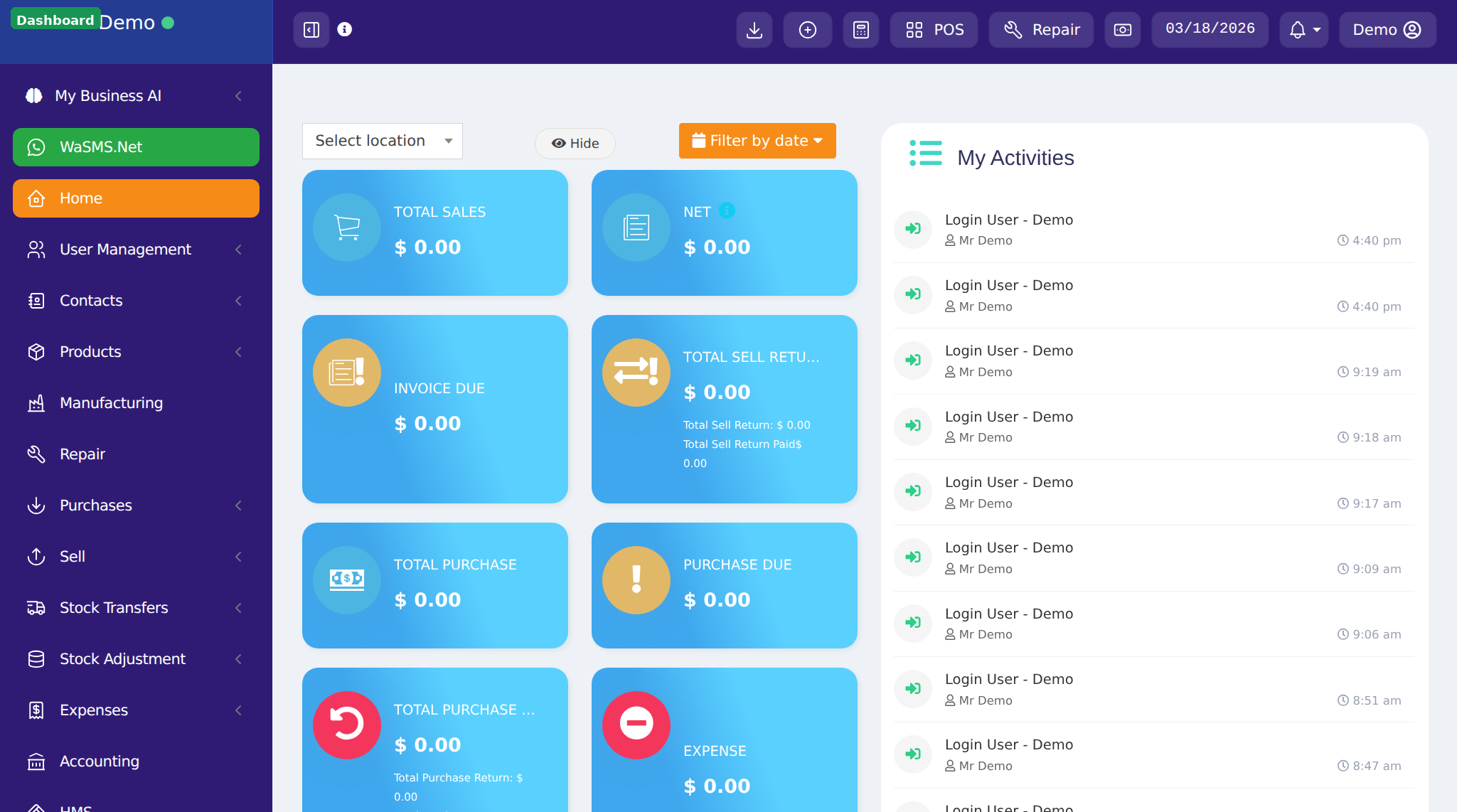
Your Dashboard
After logging in, you'll see the dashboard with sales summary, recent activity, and the sidebar menu for navigating to all features.
First-time users will see an Application Tour popup. Click Next to walk through the basics, or End tour to skip it.
Business Settings
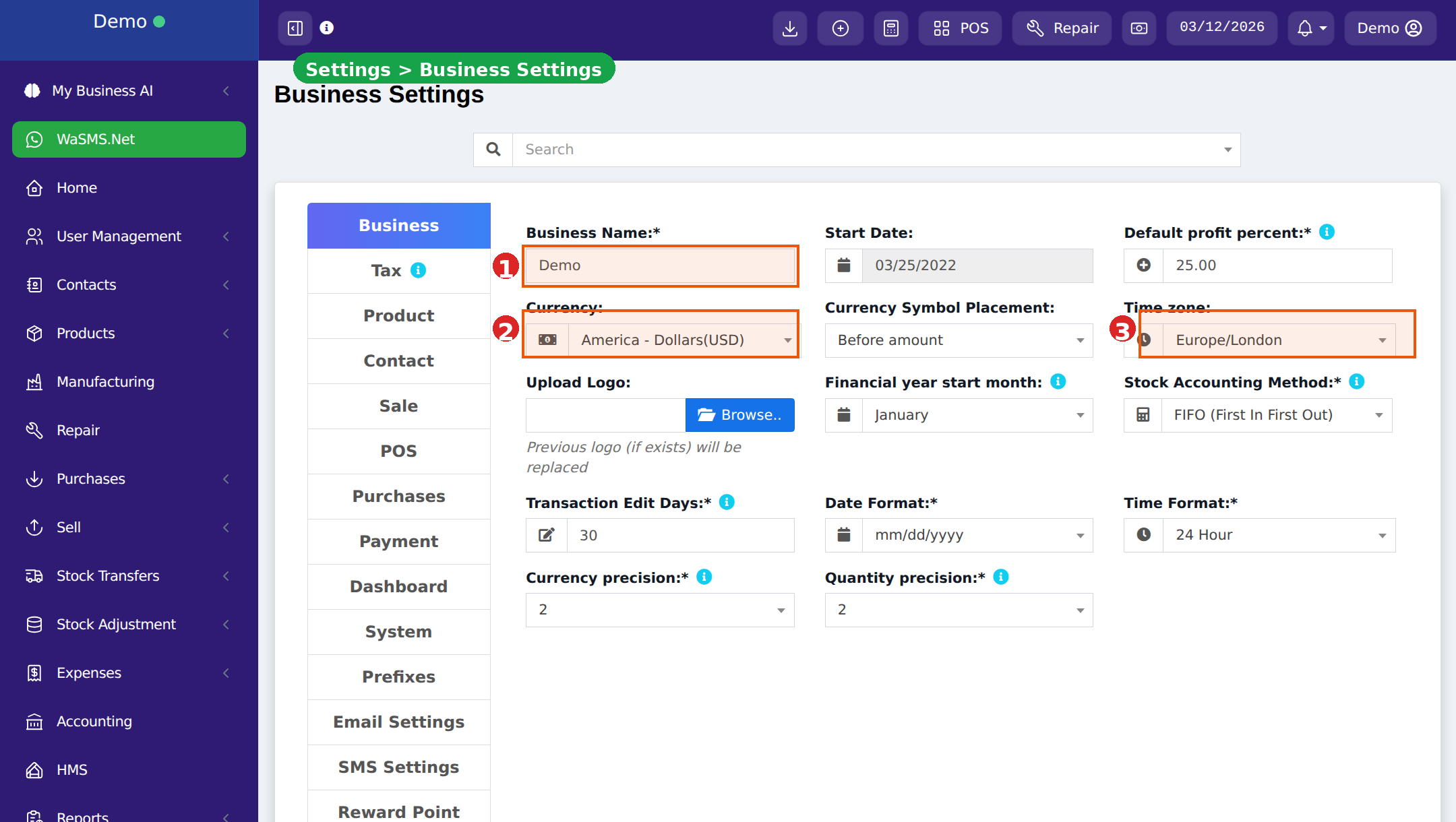
Configure your business details first. This information appears on invoices and receipts.
- 1Go to Settings → Business Settings
- 2Fill in business name, address, tax number, and upload your logo
- 3Set your currency, timezone, and financial year start month
- 4Configure tax rates: go to Settings → Tax Rates and add applicable taxes
You can change these settings anytime from Settings.
Business Locations
Add your business locations (stores, branches, outlets).
- 1Go to Settings → Business Locations
- 2Click Add to create a location
- 3Enter location name, address, phone, and contact details
- 4Each location has its own inventory, invoice settings, and printer configuration
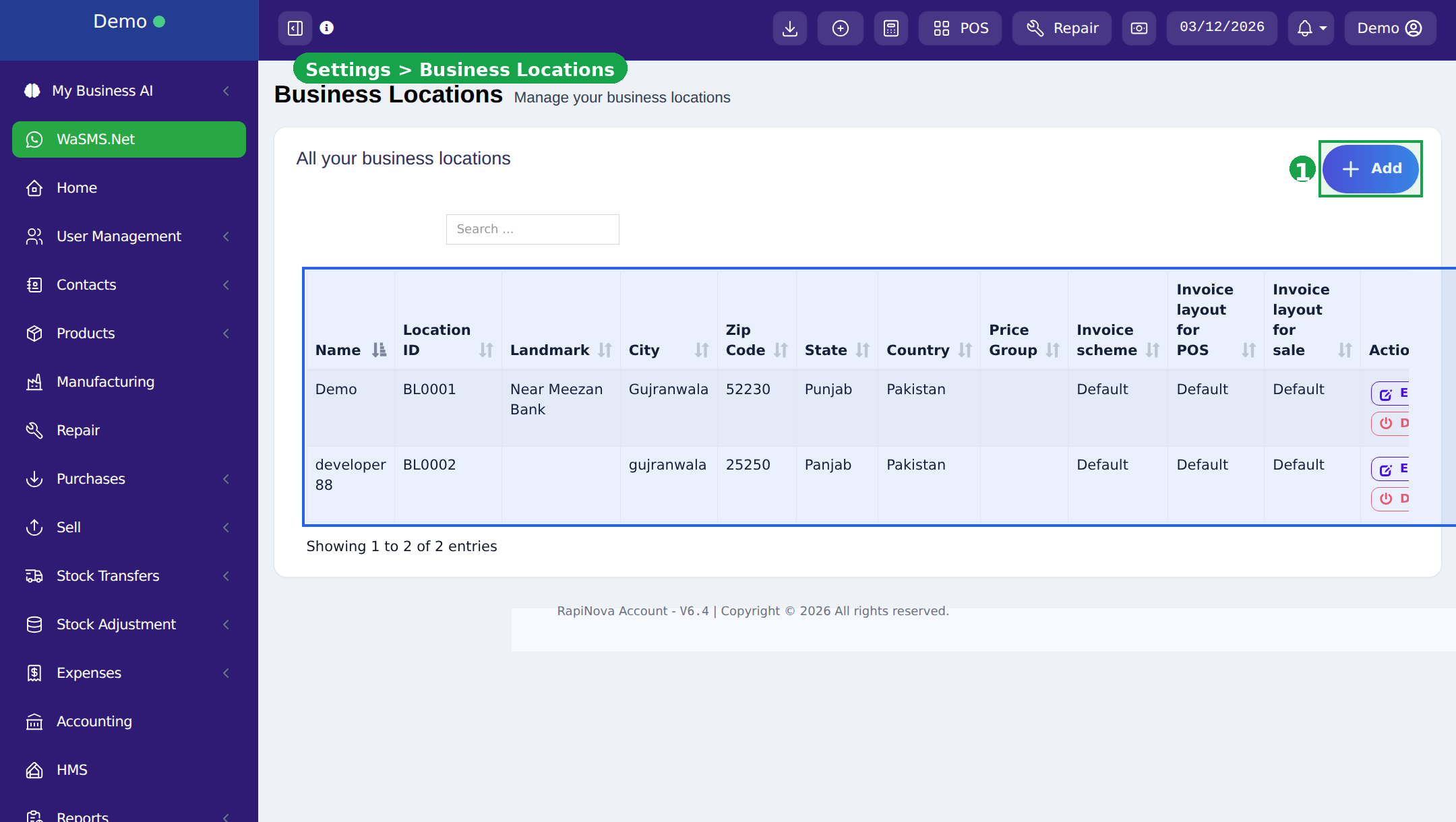
Multi-location: Each location operates independently with its own stock and sales data. Perfect for businesses with multiple branches.
Add Products
- 1Create categories first: Products → Categories
- 2Add products: Products → Add Product
- 3Set product name, SKU, category, price, and tax
- 4For services (no physical stock), uncheck "Manage Stock"
- 5Assign products to locations where they're sold
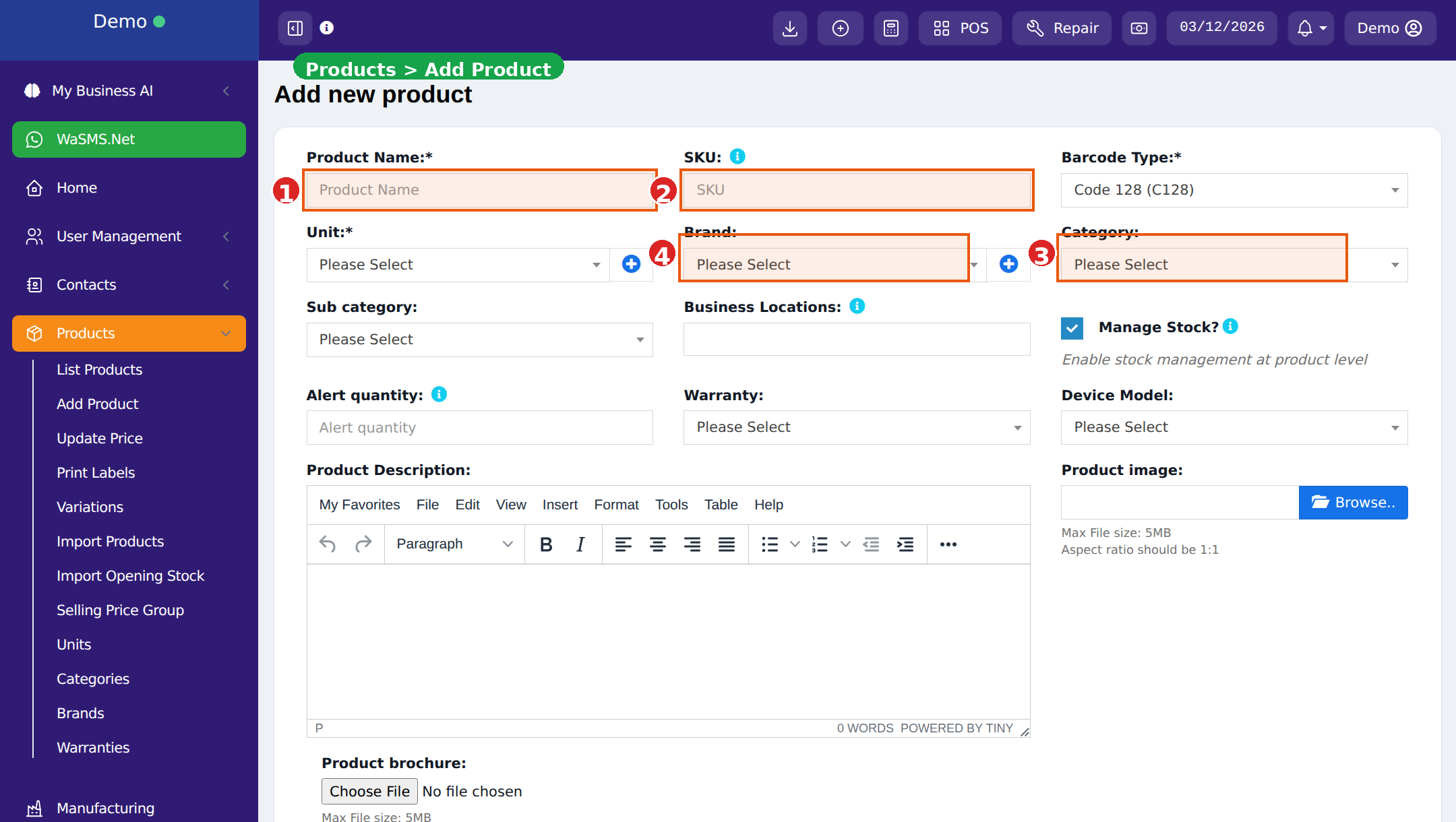
Tip: You can import products in bulk via CSV. Go to Products → Import Products.
Add Contacts
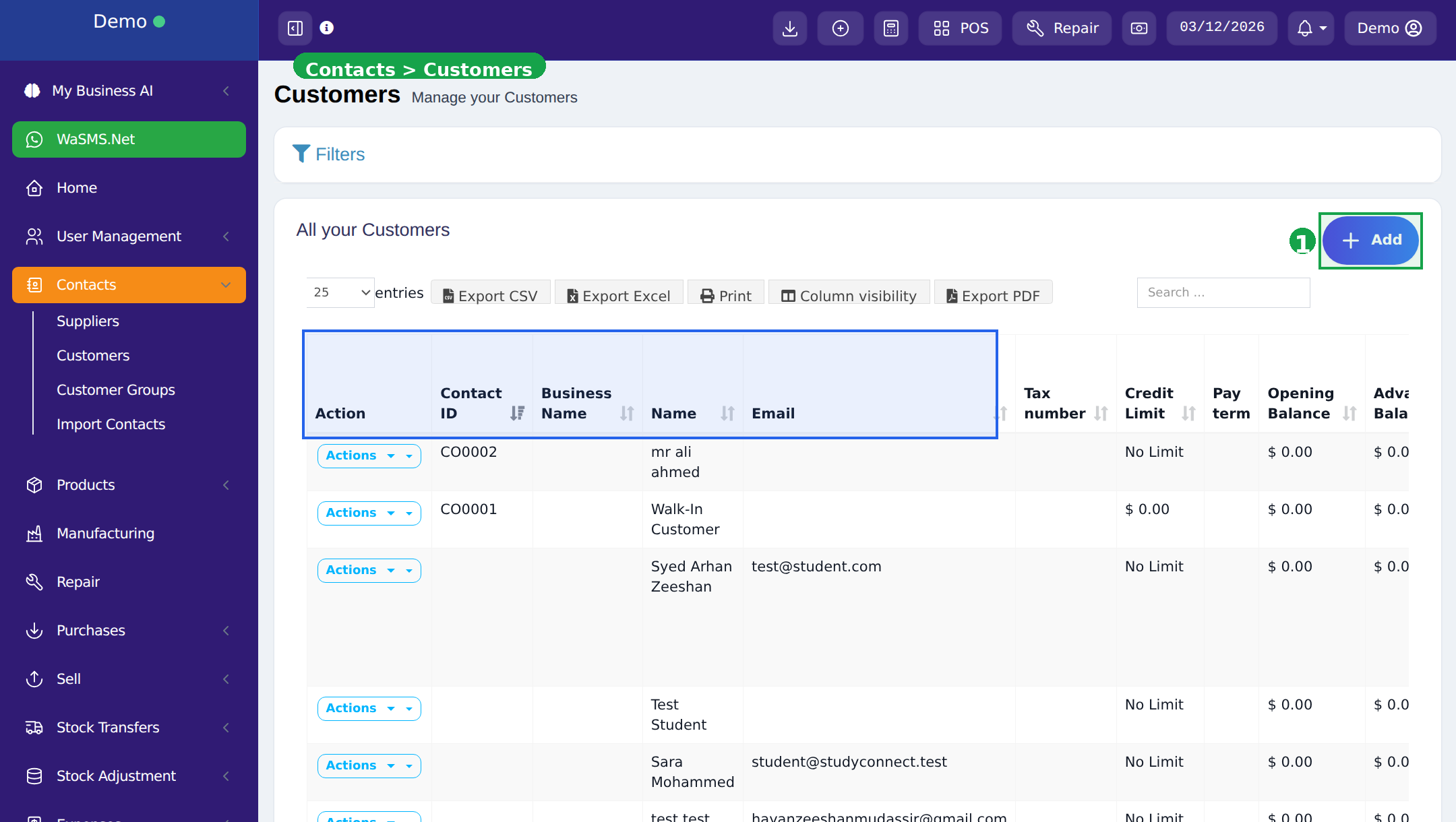
- 1Go to Contacts → Customers or Contacts → Suppliers
- 2Click Add and fill in name, phone, email, address
- 3A default "Walk-In Customer" is already created for quick cash sales
Make Your First Sale
- 1Click POS in the top menu bar
- 2Select your location (if multiple)
- 3Search products by name or scan barcode to add to cart
- 4Click Finalize, select payment method, and complete the sale
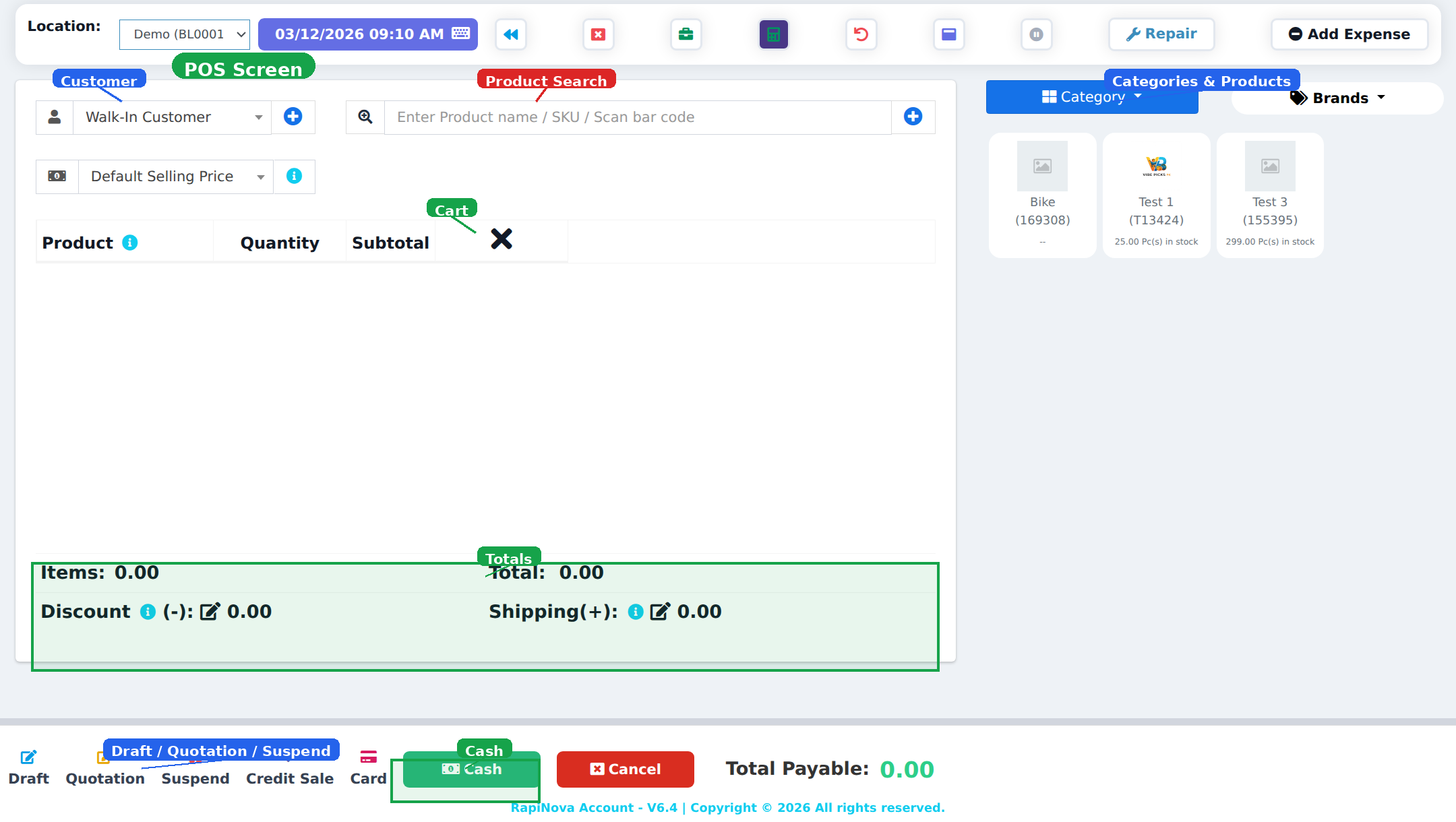
Done! You've made your first sale. Set up thermal printers to automatically print receipts.
What's Next?
Explore more features to get the most out of your system.